design system
Scaling product consistency through a unified design system
TL;DR
Lang.ai's product had grown without a unified visual language;inconsistent components, repeated design work, and slow handoff between design and engineering. I built the design system from scratch: token foundations, component library, style guide, and full documentation on Zeroheight.
The system is live and publicly accessible. It became the shared foundation for all product work at Lang.ai.
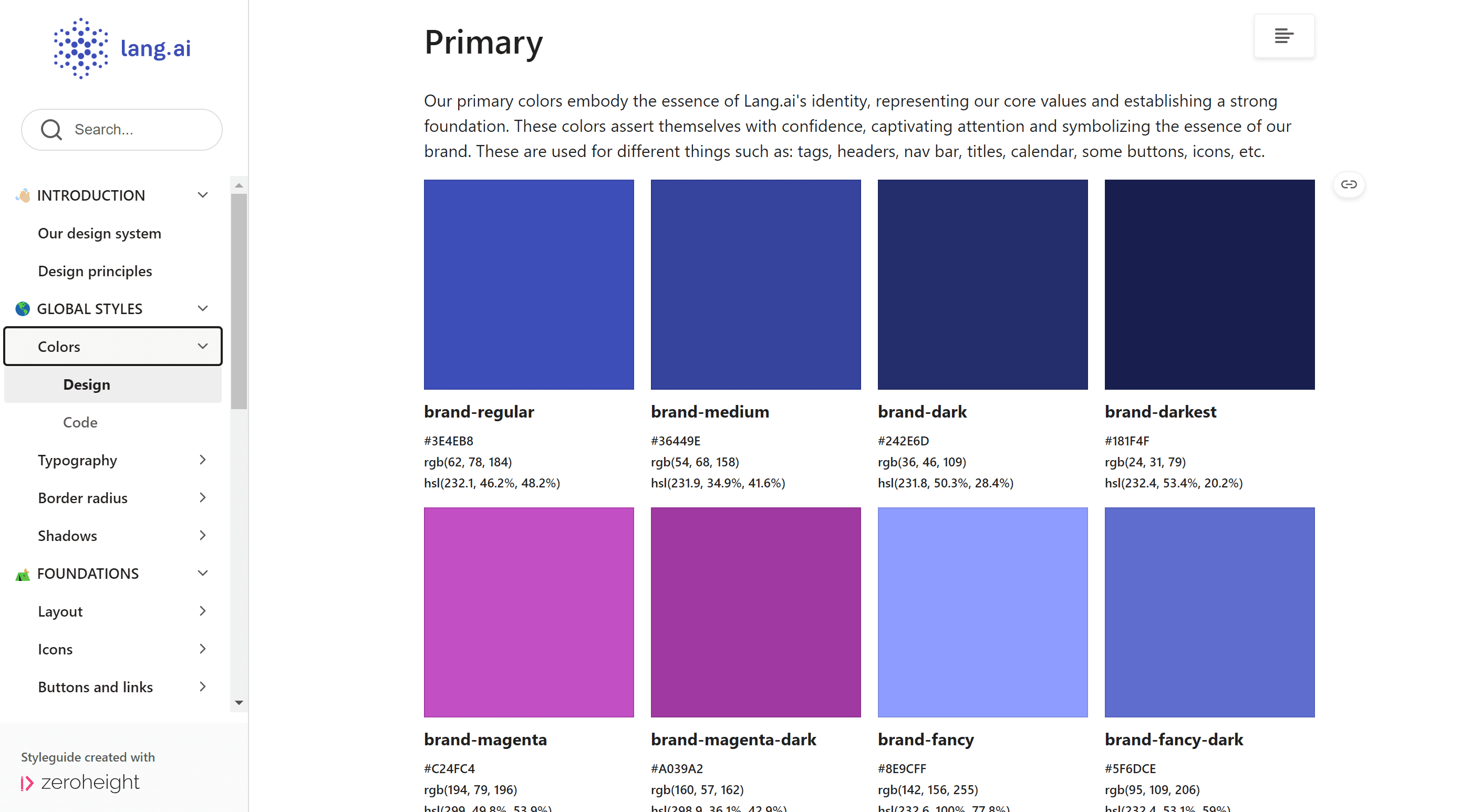

The goal was to create a design system that enhances visual consistency and user experience, fostering smoother collaboration across teams and aligning design and development efforts.
Timeline
From 2023 to 2024, this ongoing project focuses on developing a design system while managing multiple initiatives concurrently.
Background
Lang.ai specializes in automating the understanding of customer interactions by leveraging natural language processing to extract valuable insights from unstructured data.
This approach transforms traditional customer support, which often relies on manual analysis and categorization, into a more efficient and streamlined process, saving time and improving the overall effectiveness of customer engagement.
Problem
Inconsistent Visual Identity: The lack of uniform design elements resulted in a fragmented user experience, diminishing overall coherence across the platform.
Collaboration Challenges: Gaps in coordination between design and development teams frequently caused misalignment and delayed project timelines.
Low Component Reusability: Without a standardized component library, teams often recreated similar elements, slowing down their workflows.
Scaling Limitations: Adding new features required significant time and effort due to the absence of a unified design framework.
This category details the step-by-step approach taken during the project.
Research & Planning
Gather data to identify main pain points through interviews, Canny and LogRocket.
Design & Prototyping
Establish guiding design principles and components while developing the design language and style guide, and create components, guidelines, and documentation.
Implementation
Implement the design system by integrating the established principles and components, developing the design language and style guide, and producing comprehensive guidelines and documentation.
Testing & Optimization
Conduct testing and optimization to evaluate the design system's effectiveness, gather user feedback, and make iterative improvements to enhance usability and performance.
The resulting design system provides a cohesive user experience, enabling teams to efficiently create and maintain consistent product interfaces. Key features include:
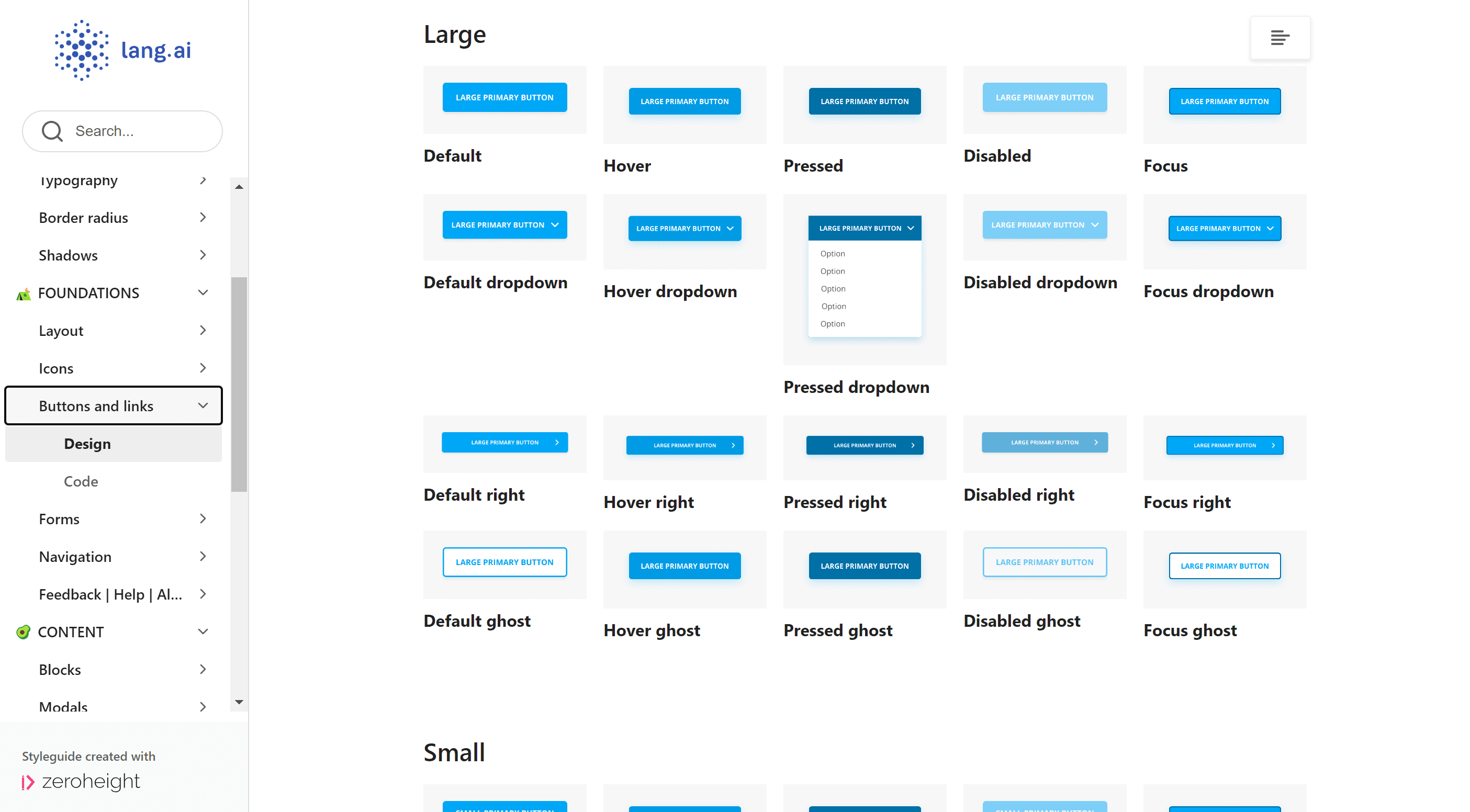
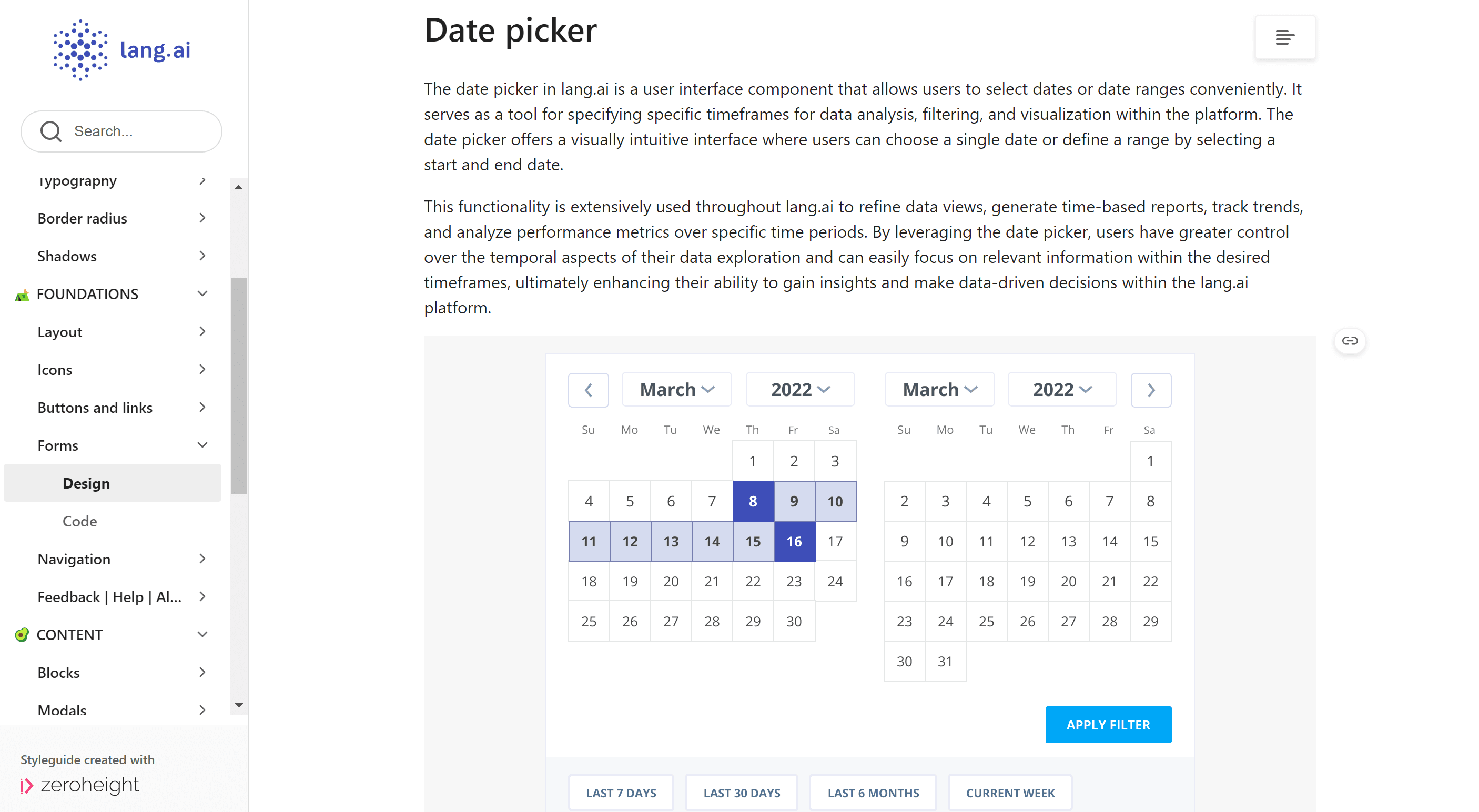
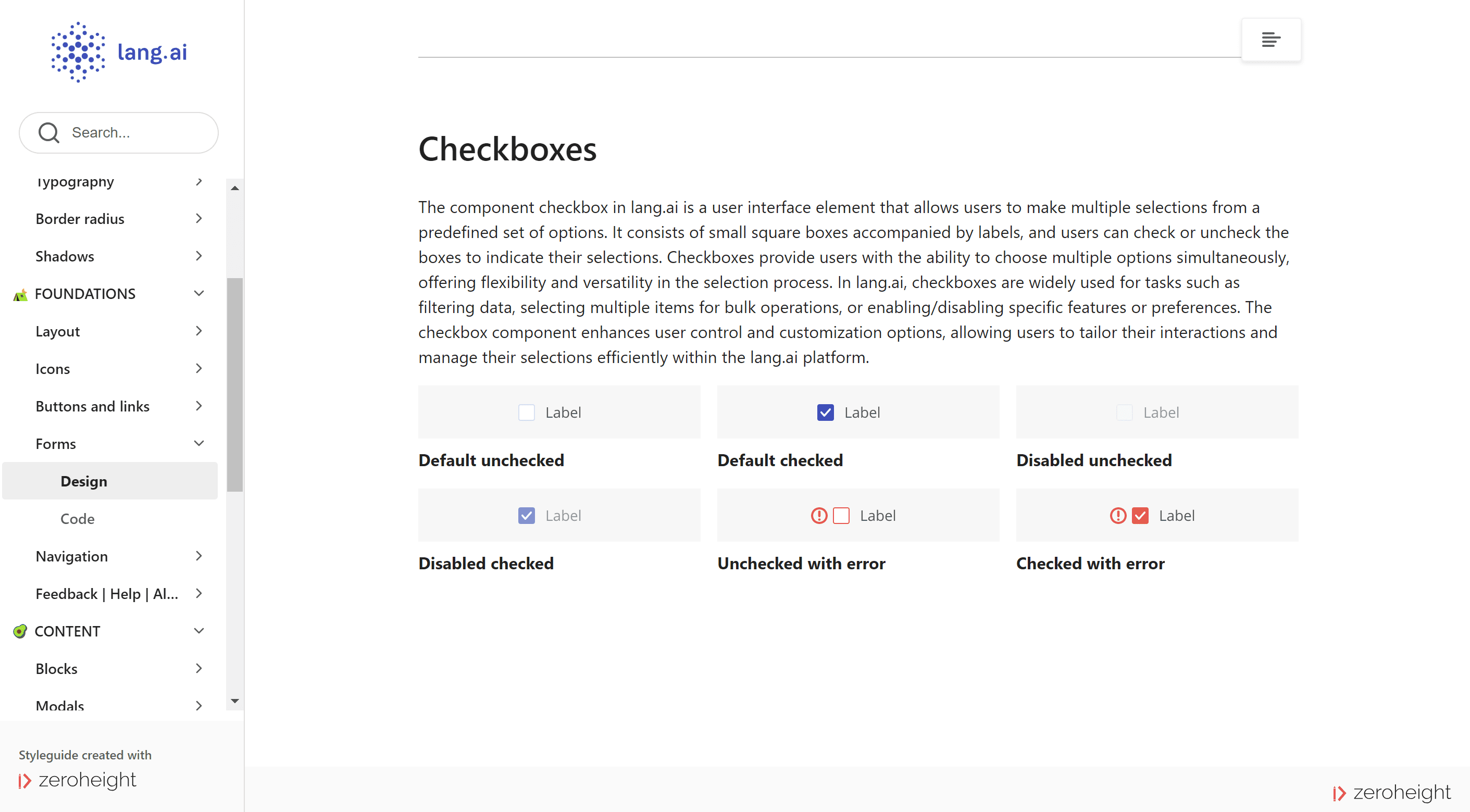
Reusable components
The design system includes a library of reusable components that streamline the design process, allowing teams to maintain consistency and efficiency across various projects while reducing the need for redundant design work.
Style Guide
The style guide offers clear guidelines on typography, color schemes, and layout principles, ensuring that all products align with the brand identity and enhance the overall user experience through visual coherence.
Responsive Design
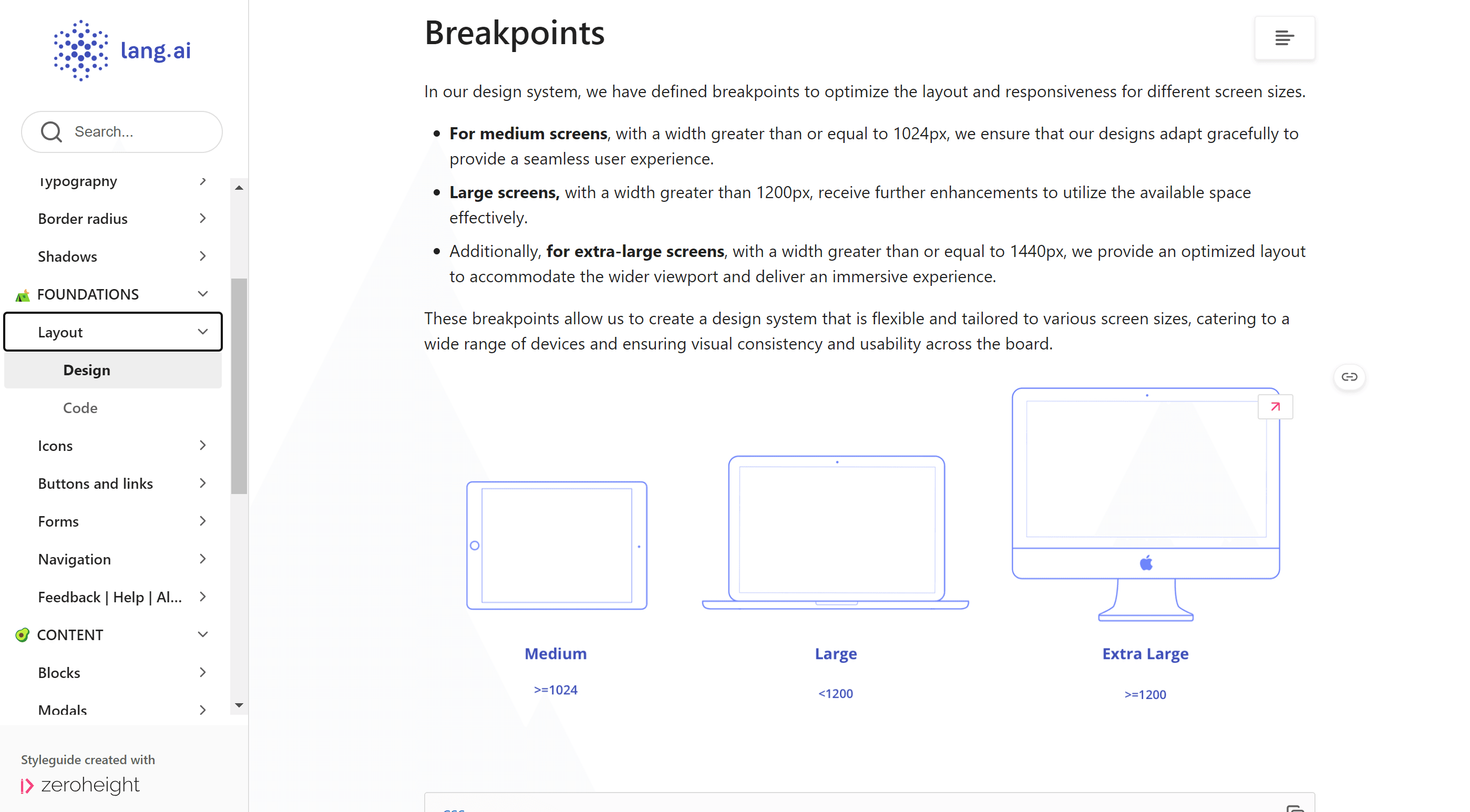
The responsive design framework allows for seamless adaptation across devices and screen sizes, ensuring that users have a consistent and engaging experience whether they are on a desktop, tablet, or mobile device.
A shared foundation for the entire product
he design system became the single source of truth for all product work at Lang.ai; used by designers and front-end engineers throughout the product lifecycle.
Faster, more consistent delivery
Reusable components and documented patterns reduced the time designers and developers spent recreating common elements and resolving inconsistencies.
Reduced design debt
By standardising the visual language and component states (including accessibility considerations), the system prevented the kind of fragmentation that had accumulated before it existed.
Live documentation, not just a file
The Zeroheight site means the system is accessible, maintainable, and usable by anyone joining the team; not locked in a Figma file.