AI-powered dashboards for ci
Accelerating CI troubleshooting with AI-powered dashboards
TL;DR
Developers using CloudBees CI were losing time to fragmented, manual troubleshooting; jumping between logs and views to diagnose pipeline failures. I designed a validated proposal to turn the CI dashboard into a proactive decision-making tool: modular widgets, AI-powered natural language queries, and surfaced pipeline health at a glance.
The proposal was well received internally and shaped roadmap conversations. Organisational changes meant it wasn't taken into development at that time; the designs remain a reference point for the product's direction.
Note: this is a CI-native concept; the Unify Dashboards project (see that case) approached the same problem from the platform analytics layer.
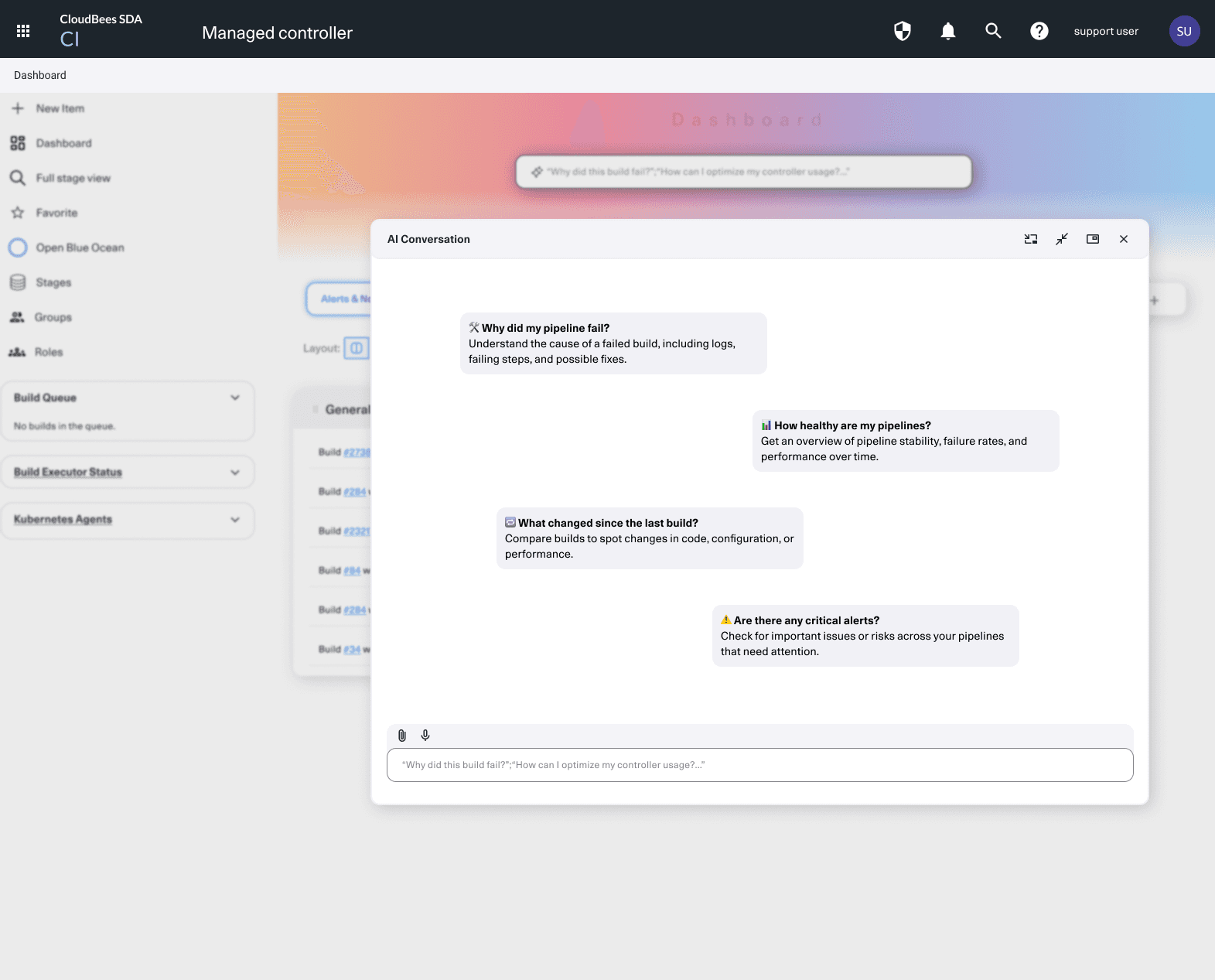

This project explores a redesign of CloudBees CI dashboards to improve data visibility, introduce AI-powered insights, and enhance developer workflows. Built on existing user research, the design proposal centres on natural language queries and customisable widgets; giving developers a faster, more intuitive way to identify issues and make sense of their CI/CD pipelines.
Timeline
Research and design work ran from 2024 to 2025. The proposal was presented to internal stakeholders, received positively, and aligned to the product roadmap; but was not taken into development due to organisational changes at the time. The designs continue to serve as a reference point for future CI dashboard direction.
Background
CloudBees offers an enterprise-level CI solution for software delivery teams. While powerful, the existing dashboards required developers to manually sift through logs and data to diagnose pipeline failures; a slow, fragmented process that ate into productivity and delayed delivery cycles.
The goal was to reimagine the dashboard as a proactive decision-making tool: one that surfaces the right information quickly and adapts to how developers actually work.
Problem
Developers struggled with:
Limited data visibility, making it hard to locate pipeline issues quickly
Manual troubleshooting spread across multiple views and logs
Static dashboards with no intelligent guidance or flexibility
This translated to longer debugging cycles, constant context switching, and reduced development velocity.
This category details the step-by-step approach taken during the project, including research, planning, design, development, testing, and optimization phases.
Research & Planning
User research had been completed prior to my involvement, through interviews and surveys with both internal stakeholders and external developers. I worked from this research foundation to identify design priorities and shape the proposal.
Design & Prototyping
Using the research insights, I designed modular dashboard widgets and AI-powered components in Figma. Some features were developed to a high level of fidelity with interactive prototypes; others remained at a conceptual stage. Designs were reviewed internally and refined based on early feedback.
Handoff & Stakeholder Presentation
The proposal was presented to internal stakeholders and received positively. It was scoped for development prioritisation, but organisational changes meant it was not taken forward at that time.
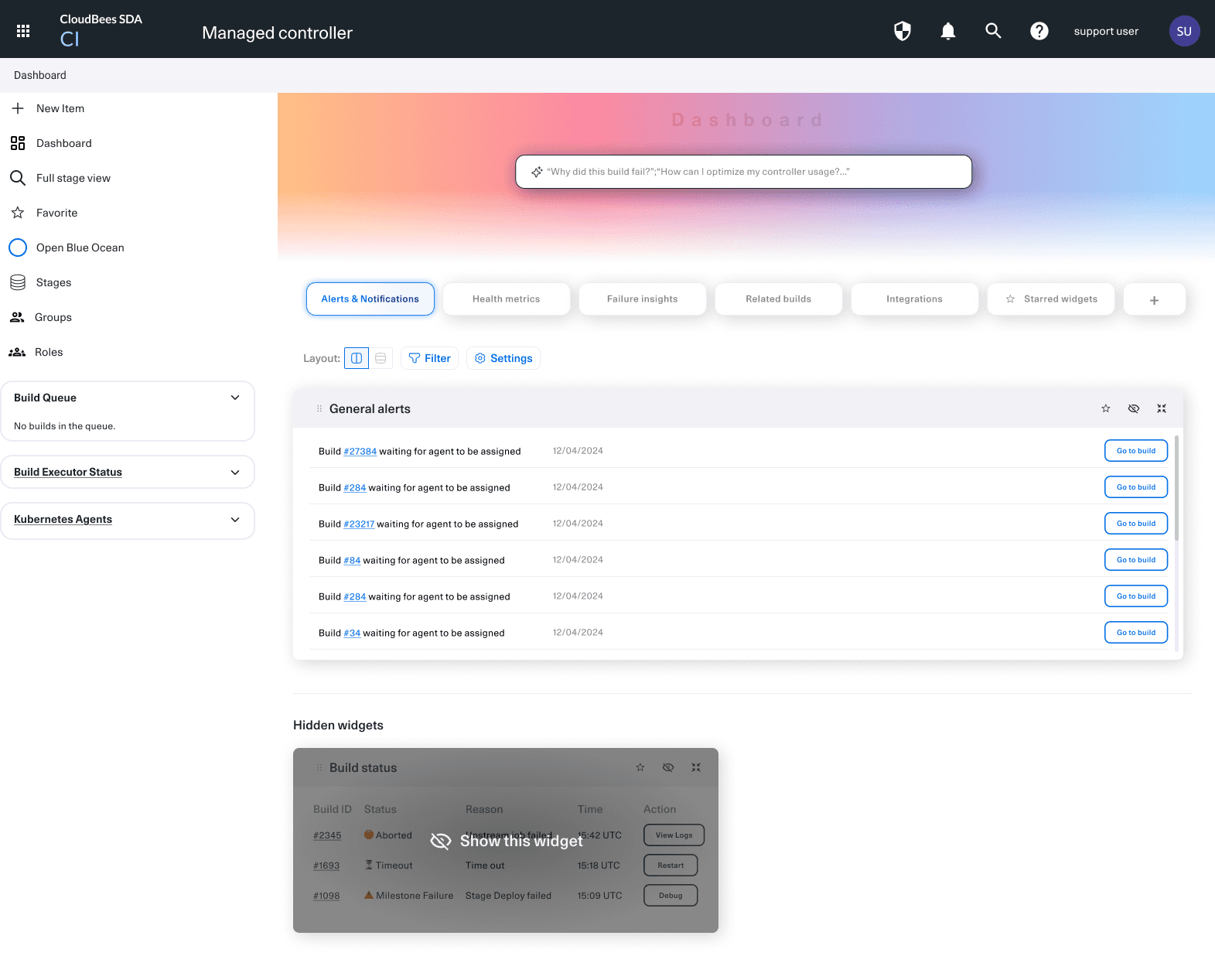
The proposed dashboard redesign aims to give developers a faster, more intuitive experience for uncovering pipeline issues and acting on CI data.
Modular Dashboard Widgets
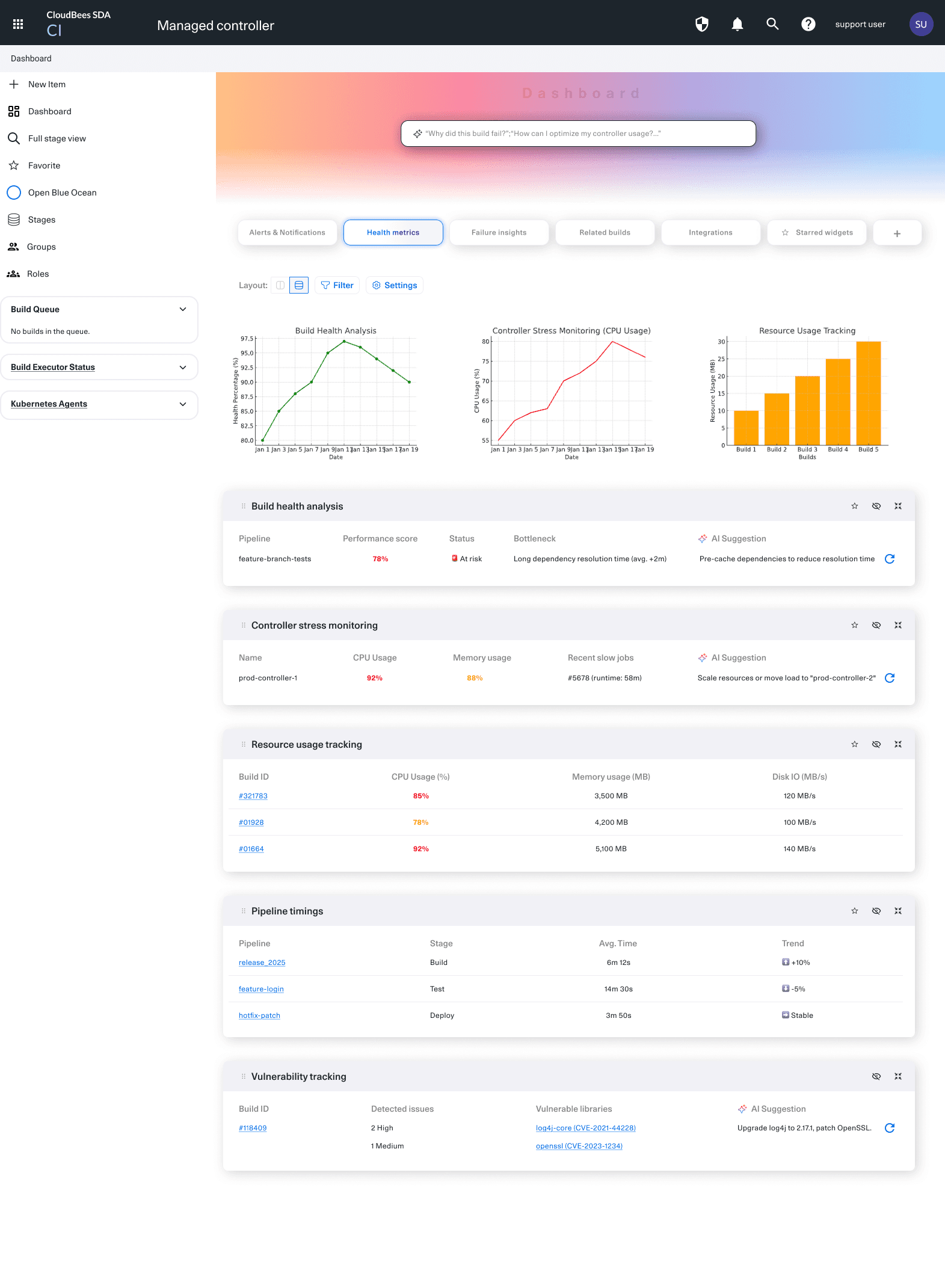
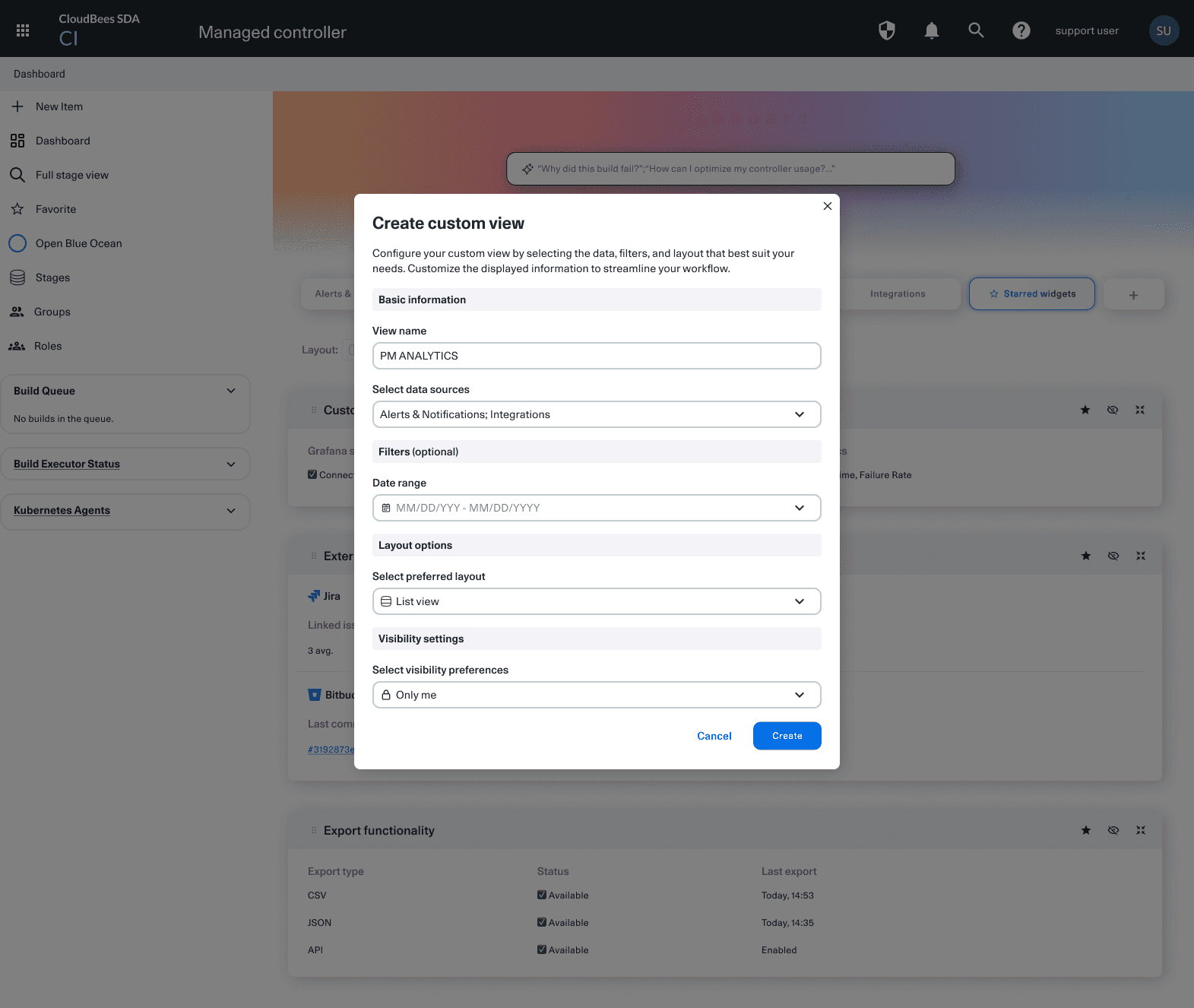
Drag-and-drop widgets that let users tailor their dashboard to the metrics that matter most to them.
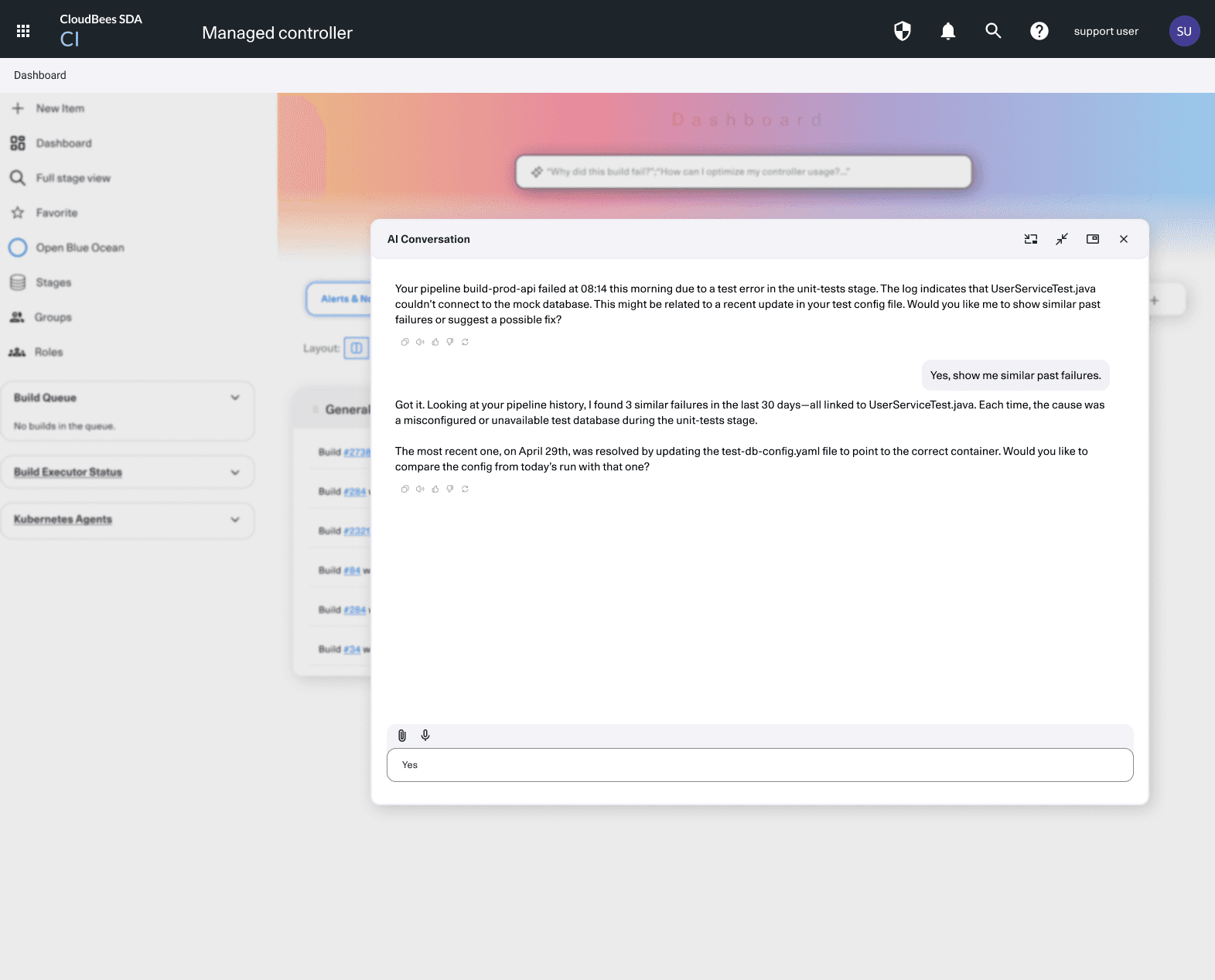
AI-Powered Troubleshooting
A natural language interface where developers can ask questions like "Where did my last pipeline fail?" and get contextual answers with links to relevant logs or events.
Visual CI Insights
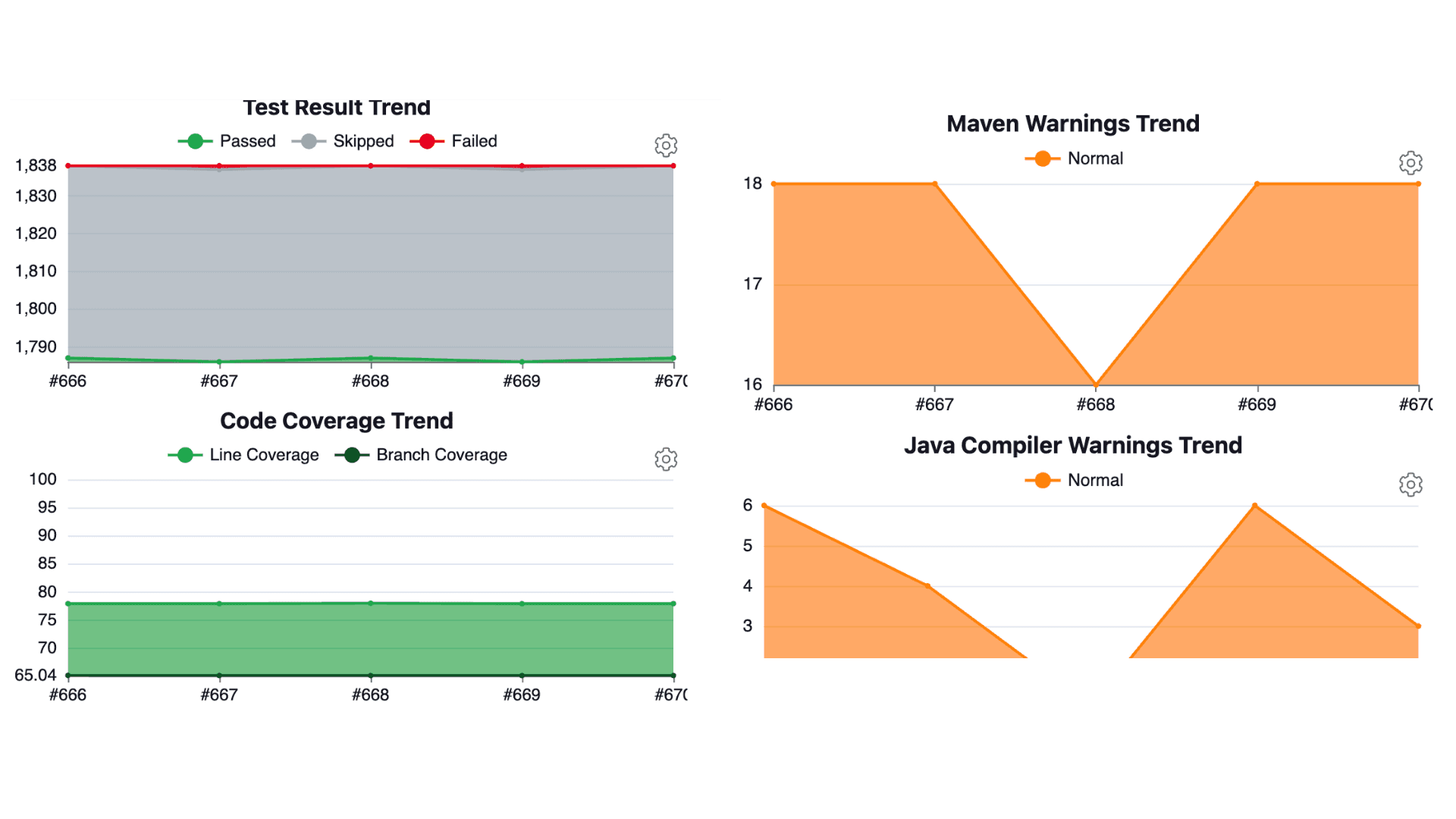
Revamped charts and indicators that surface pipeline health, deployment risks, and trend anomalies at a glance.
Validated direction, positive reception
The proposal was presented to internal stakeholders and received positively; with alignment on both the vision and the design direction.
Roadmap influence
The concepts mapped directly to where the product was heading. This work contributed to ongoing conversations about the CI dashboard's future, and the designs remain an active reference point.
What I learned
Working on a project that doesn't ship is a normal part of product design in complex organisations. The value here was in completing rigorous research, proposing a clear direction, and earning stakeholder alignment; even without a green light for development. I'd bring the same thoroughness to a different context.