Jenkins++ Integration Experience
Simplifying CI integrations with scalable multi-controller management
COMPANY
ROLE
Lead Product Designer
EXPERTISE
Information Architecture, Usability & UX Optimization
YEAR
2025 - 2026
TL;DR
Engineering teams managing large CloudBees CI environments had to set up controllers one at a time; a painful, error-prone process that scaled with every new controller added.
As Lead Product Designer, I redesigned the entire integration experience: replacing a collapsed drawer model with a structured step-by-step flow, introducing Operations Center integration for bulk controller discovery, and building a monitoring surface for all controller states.
A team with 100+ controllers now completes the same setup in a single flow.
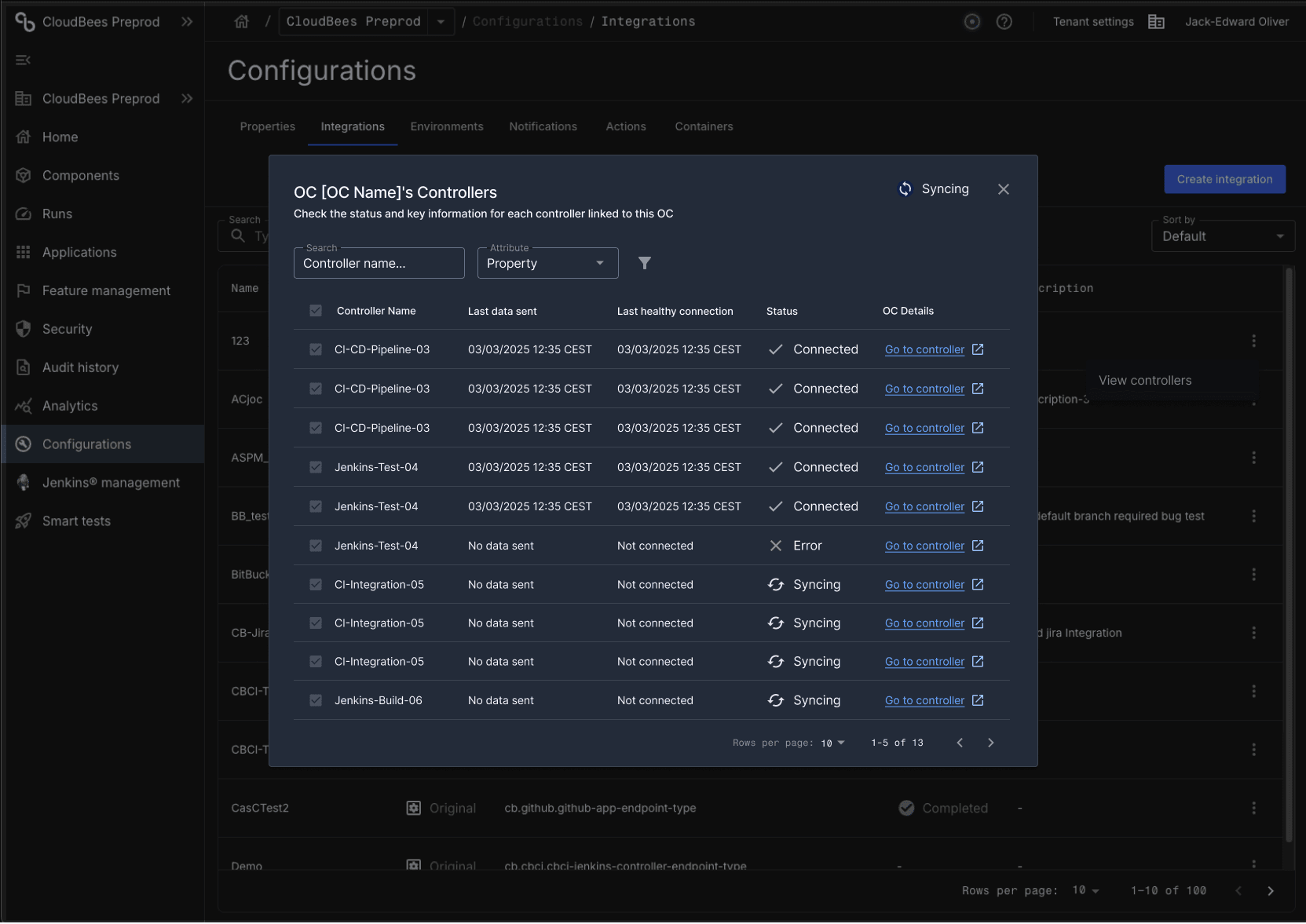

This project redesigns the integration experience between CloudBees CI and CloudBees Platform (Unify), rethinking how engineering teams connect, configure, and monitor CI controllers at scale.
The initiative moves away from a confusing single-drawer flow toward a structured, multi-step setup - introducing Operations Center integration to automatically discover and connect all controllers at once, alongside a redesigned single-controller path with clearer status visibility and guided configuration steps.
Timeline
Throughout 2025 and part of 2026, this project was developed as part of ongoing improvements to the CloudBees Unify platform, aligning integration workflows with evolving product capabilities and user needs.
Background
CloudBees Platform allows users to connect CloudBees CI instances to monitor and manage controllers through a centralized interface.
The existing integration flow relied on a drawer interaction model that collapsed a multi-step process into a single surface - making it difficult to understand progress, recover from errors, or manage more than a handful of controllers. As customer environments grew in complexity, the lack of scalability and structure became a significant blocker.
Problem
Users struggled with:
A collapsed drawer experience that obscured setup steps, leaving users unsure of where they were in the process or what had gone wrong
No visibility into individual controller status - errors were silent and hard to diagnose
No way to connect multiple controllers at once, forcing teams with large CI environments to repeat the same setup flow dozens of times
This resulted in slow, error-prone onboarding, loss of user confidence during setup, and an experience that simply did not scale to real-world team environments.
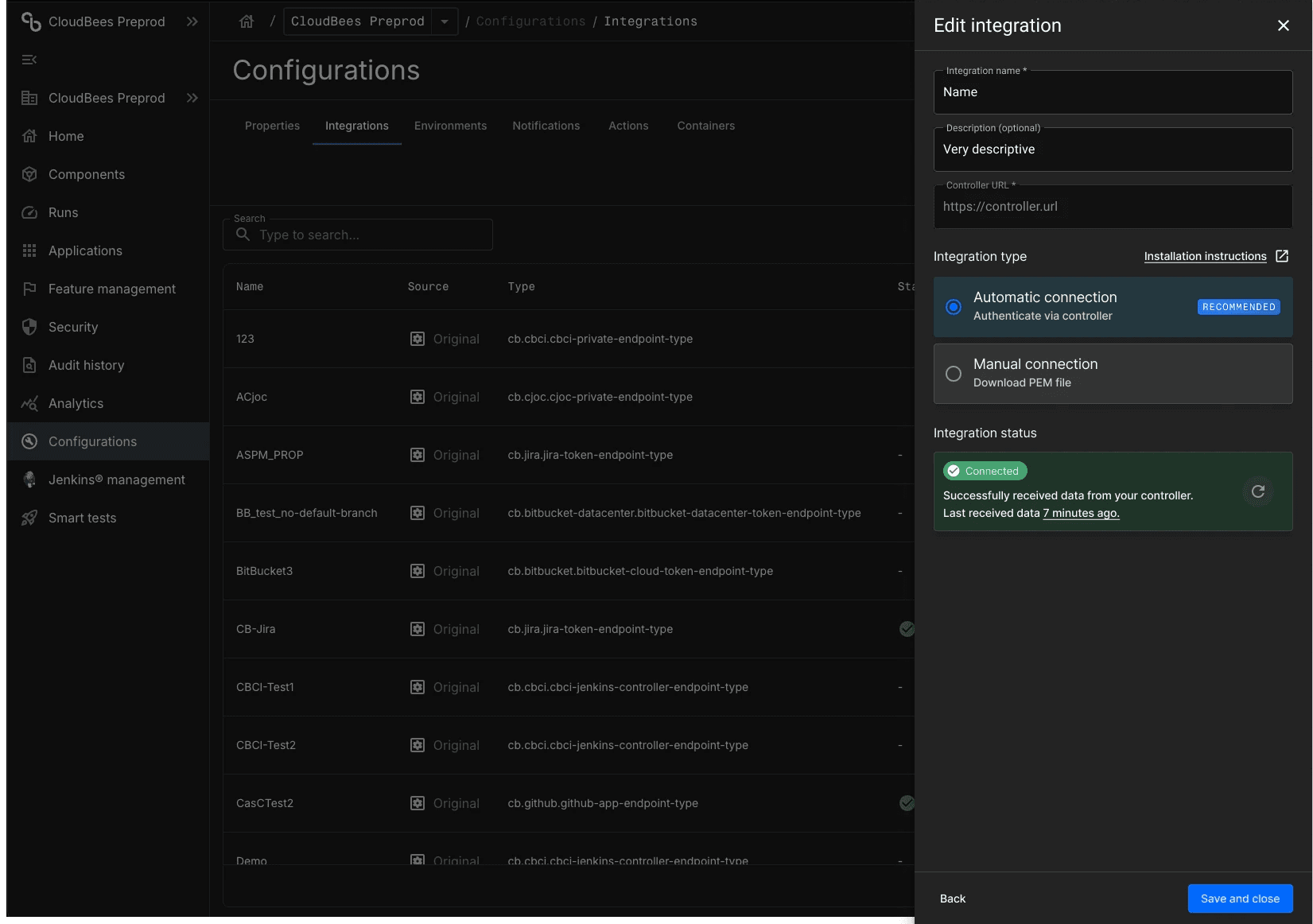
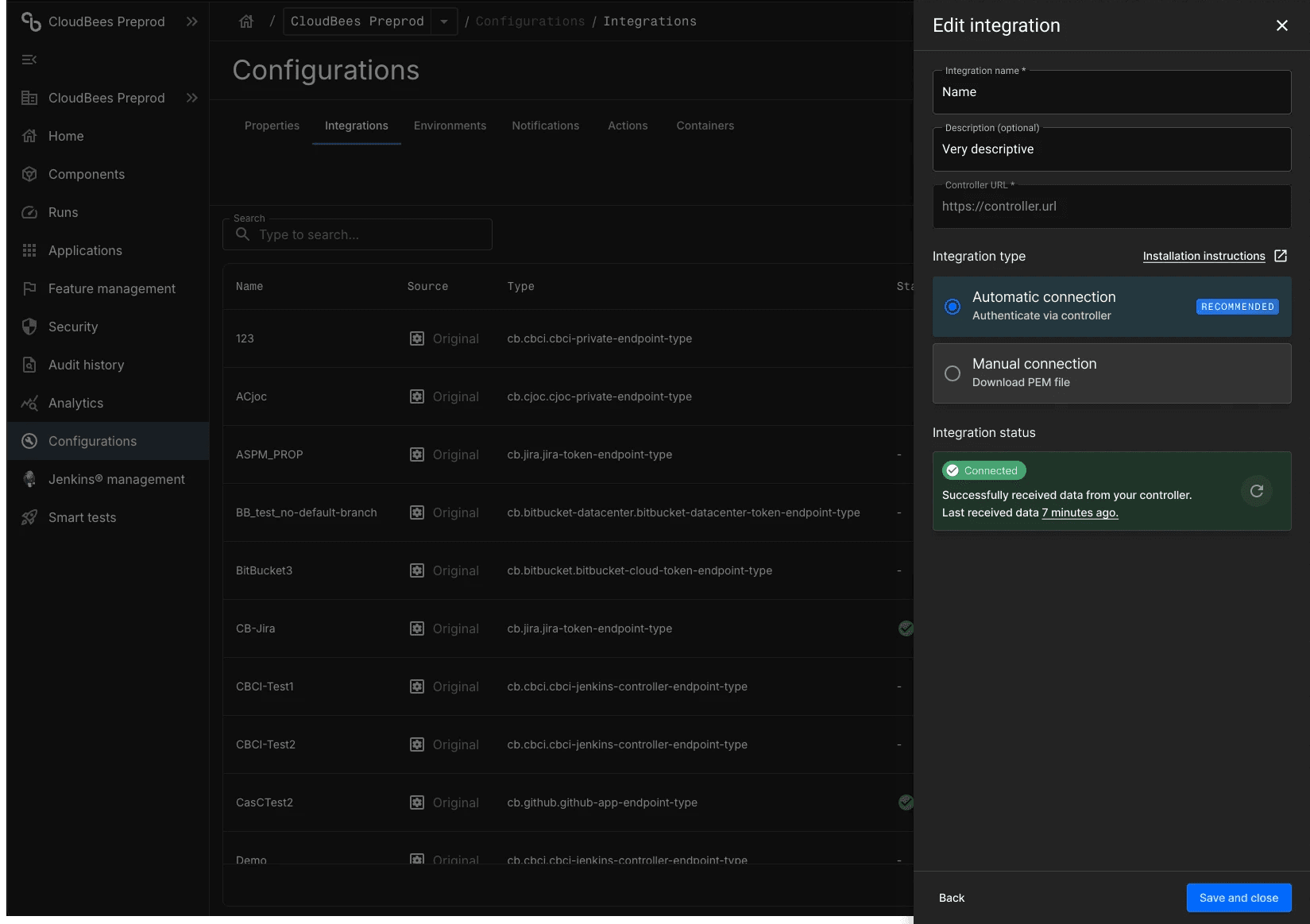
This project followed a structured, iterative design approach focused on simplifying complexity while supporting more advanced user needs.
Discovery & Analysis
Reviewed the existing flow end-to-end with product and engineering, mapping every state, error condition, and edge case before touching any design tooling. Identified the core tension: the drawer model worked for simple cases but broke down entirely as complexity increased.
Information Architecture & Flow Design
Rebuilt the integration flow from first principles — defining every possible controller state (Syncing, Connected, Action pending, Skipped), every error path (auth timeout, plugin missing, controller offline), and every edge case (HTTP URL detection, plugin installation warnings) before wireframing a single screen. This pre-wireframe rigour meant engineering and product were aligned on system behaviour before the UI was designed.
Dual Connection Pathways
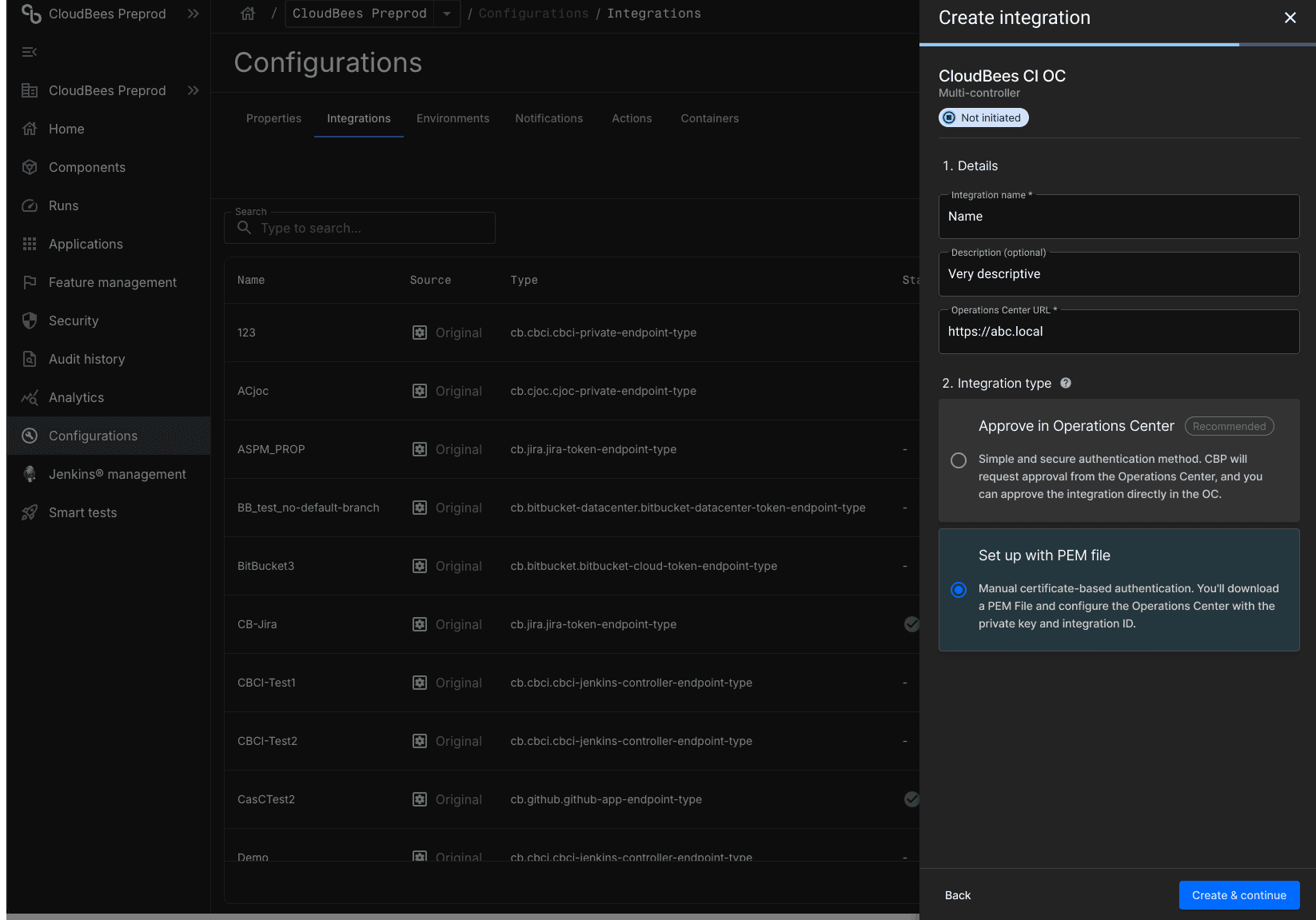
Designed two distinct setup modes: Operations Center integration for teams managing multiple controllers (auto-discovery via OC), and single controller integration for simpler or one-off setups. Each path was treated as a first-class experience with its own flow, validation states, and error handling.
Design & Prototyping
Produced high-fidelity designs in Figma covering setup steps, inline validation (HTTP/HTTPS warning with exact copy, plugin installation reminder), all status states, empty states, success confirmations, and the View Controllers monitoring table.
Collaboration & Iteration
Worked closely with engineering to validate technical feasibility, define state transitions, and align on plugin prerequisites — including the CasC (Configuration as Code) path for enterprise users managing plugins via bundle yaml files.
The redesigned integration experience introduces a scalable and user-friendly system that simplifies setup while supporting more complex configurations.
Structured step-by-step setup
Replaced the collapsed drawer with a clear, sequential setup flow — guiding users through integration details, OC URL, authentication method, and plugin prerequisites with inline validation at each step.
Dual Connection Modes
Introduced the View Controllers table - a dedicated monitoring surface showing every controller's name, URL, connection status, and last-seen timestamp, with contextual actions (debug, enable) depending on state. OC-level status automatically reflects the aggregate state of all child controllers.
Inline validation and edge case handling
Real-time HTTP/HTTPS detection on the OC URL field, plugin installation reminders before submission, and clear error messaging at every failure point - ensuring users understand what went wrong and exactly how to fix it.
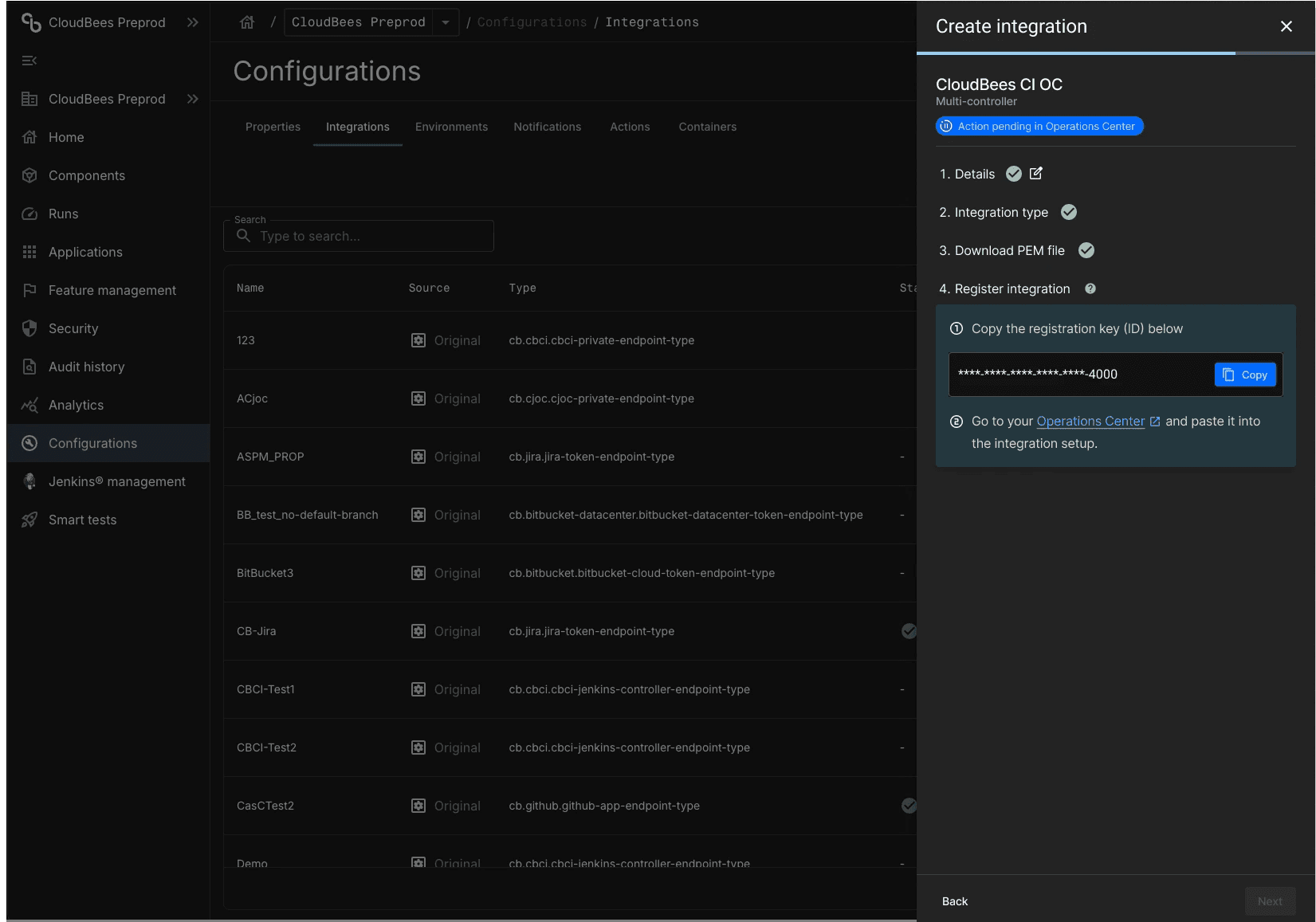
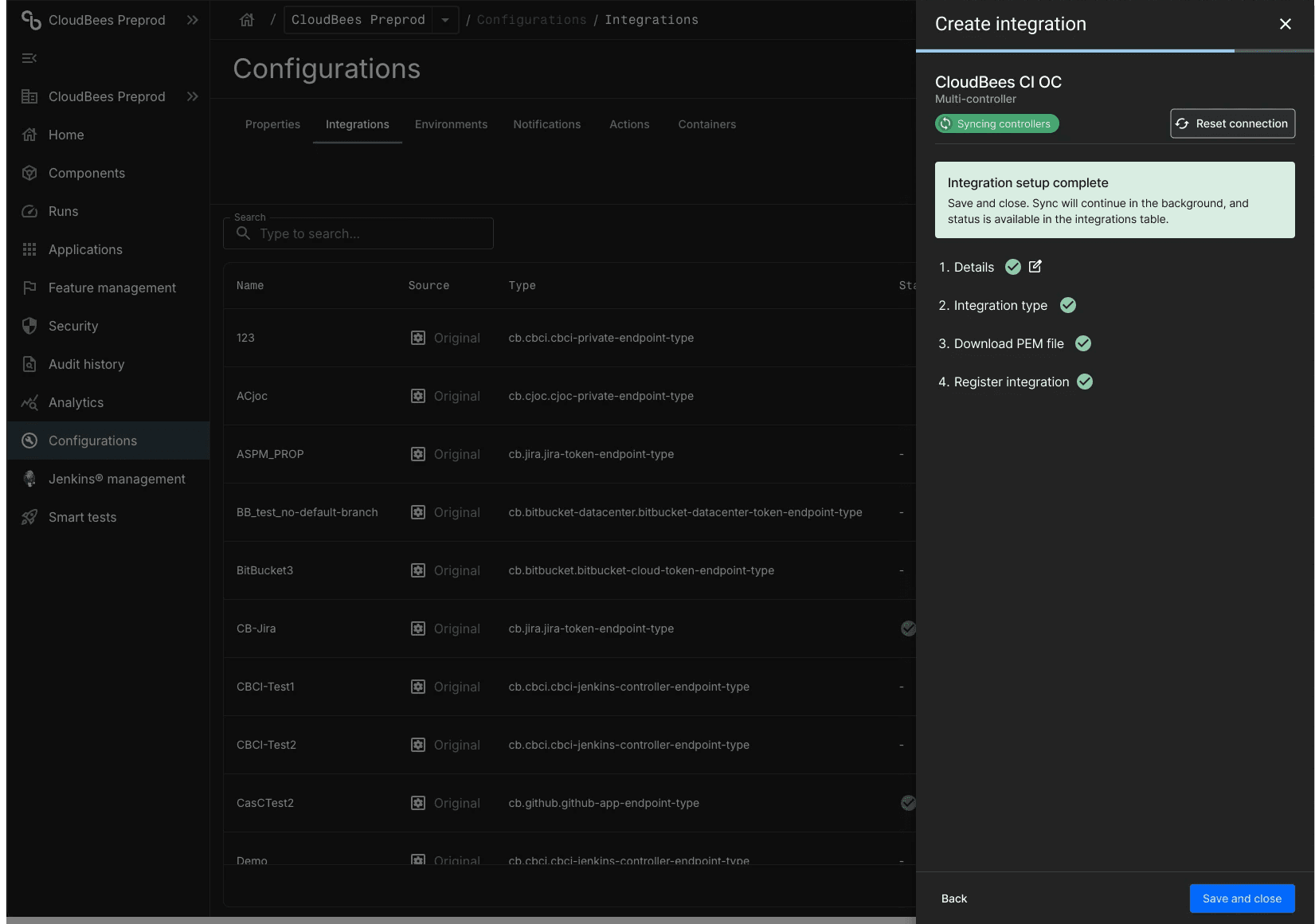
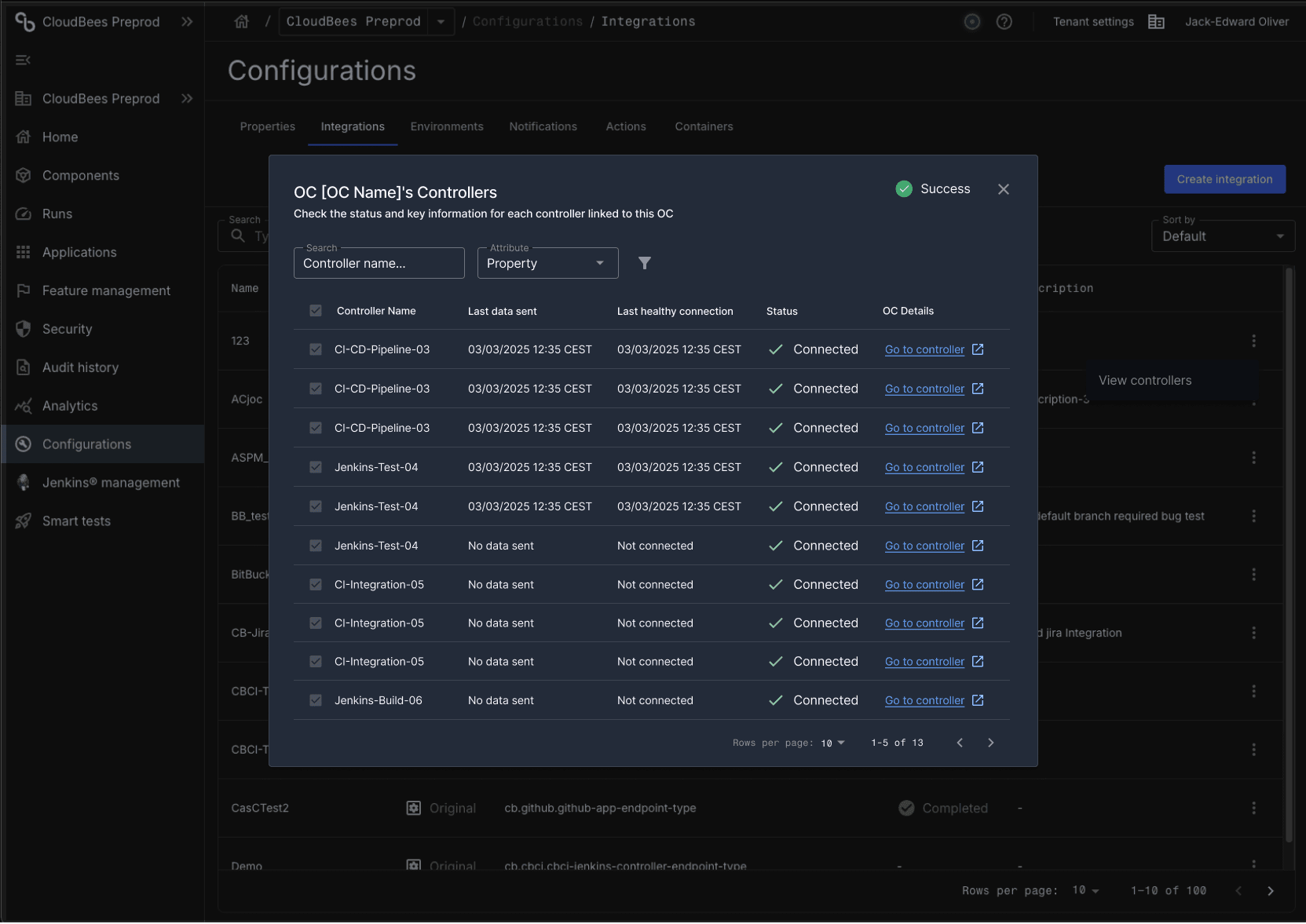
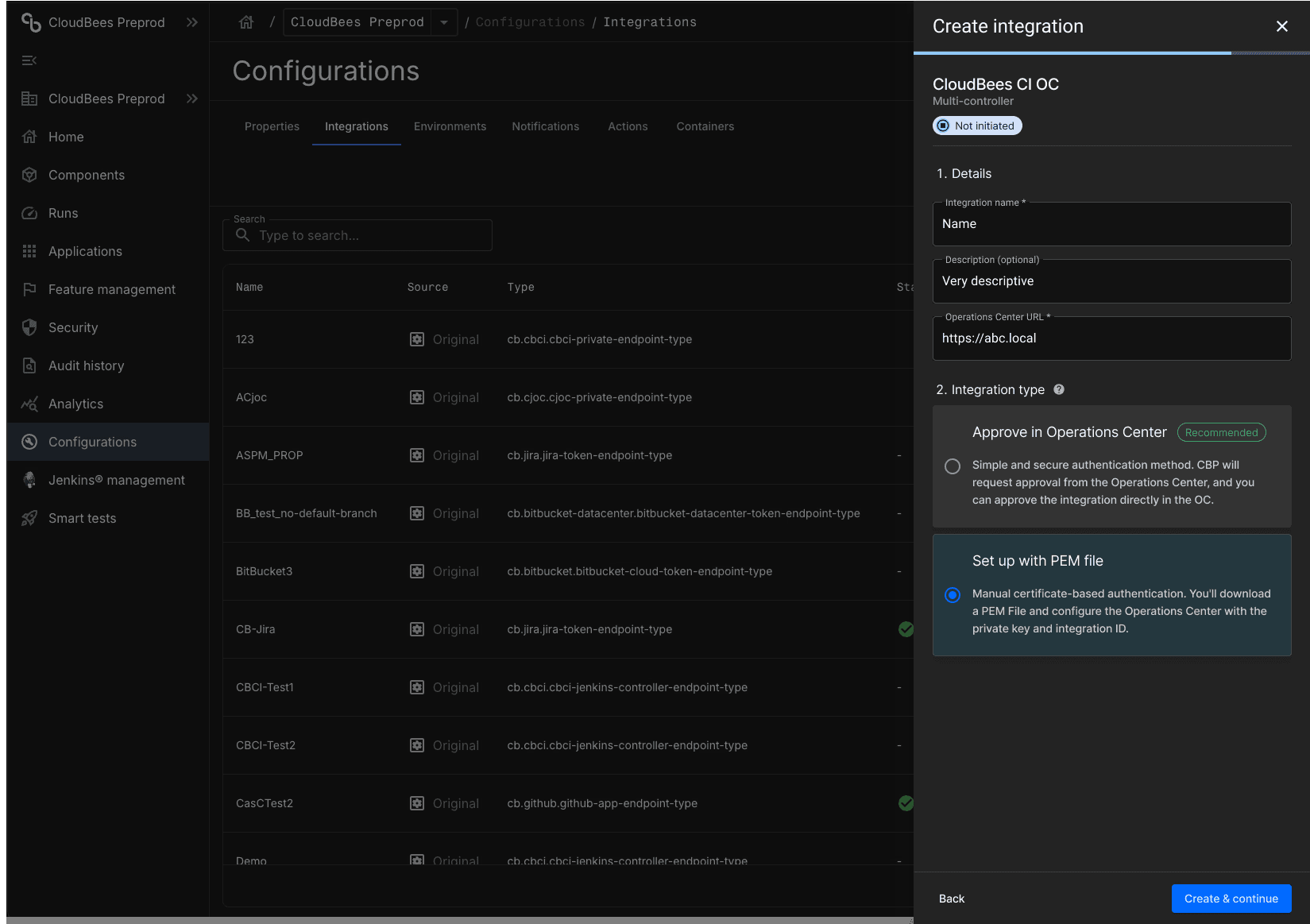
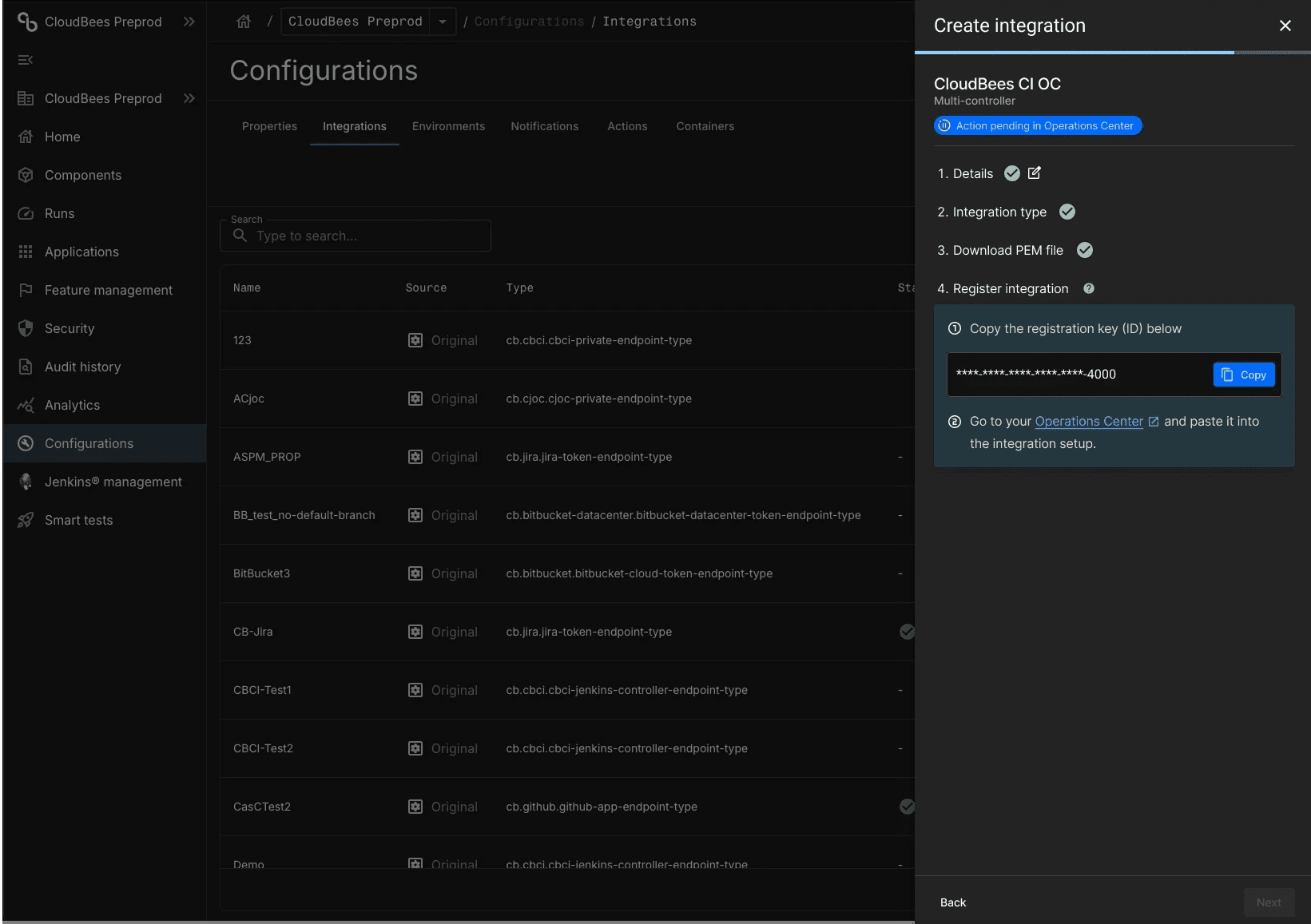
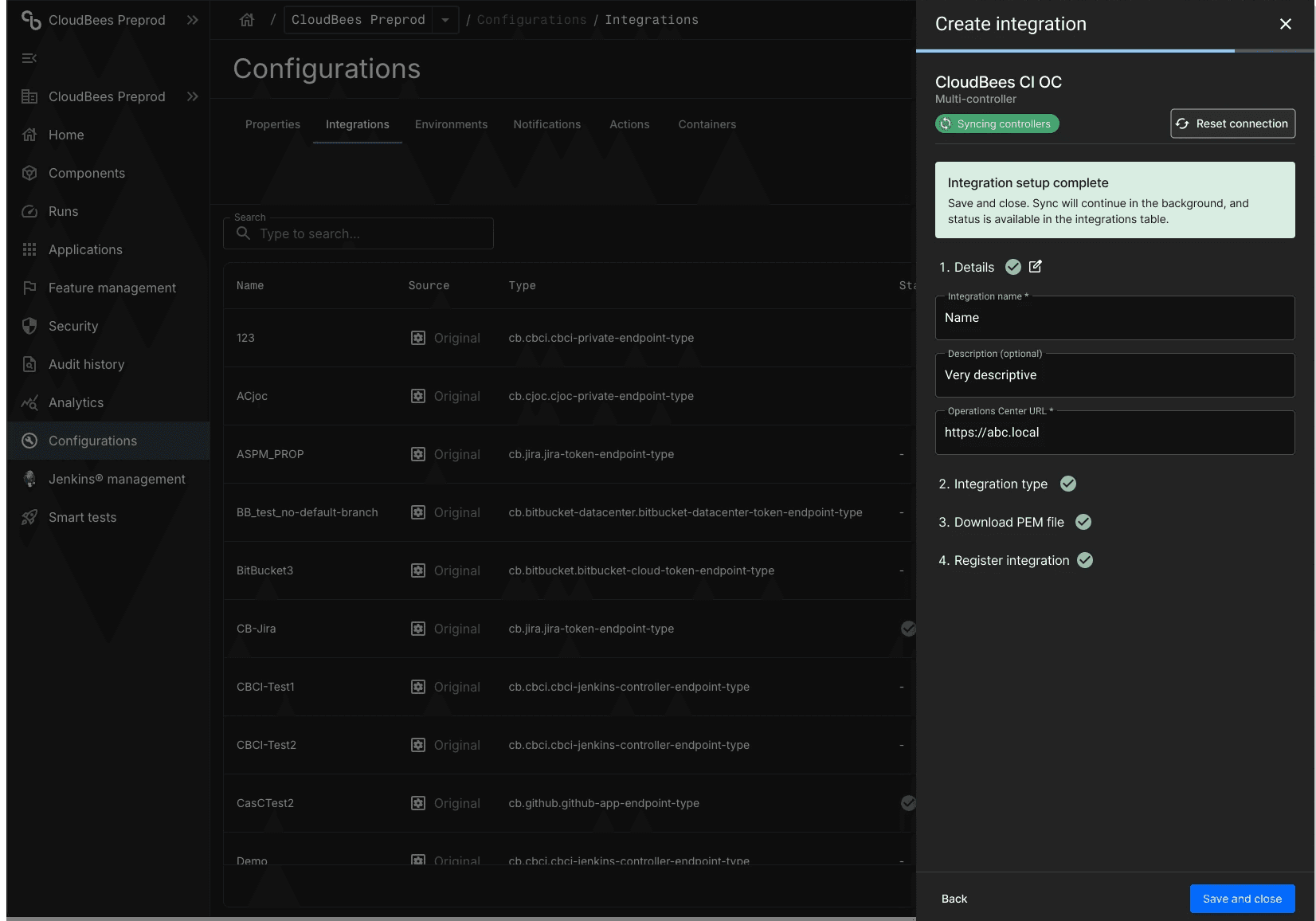
100+ controllers → 1 flow Operations Center integration eliminates repetitive single-controller setup. What used to require 50 separate runs now completes in one.
Improved clarity and usability
A structured, step-by-step flow with explicit state feedback reduces confusion and gives users confidence throughout setup - especially in error and recovery scenarios.
Dramatically reduced setup time for large environments
Operations Center integration eliminates the need to configure controllers one by one. A team with 50 controllers now completes the same setup in a single flow.
A scalable foundation
The controller state model, monitoring table, and dual-mode architecture establish a system that can grow with customer environments - supporting future capabilities like bulk actions, filtering, and CasC-native configuration without requiring a redesign.