Design Systems · AI Tooling
Building a Jenkins design system reference to accelerate AI-assisted prototyping
COMPANY
Status
Built & published (Design initiative)
EXPERTISE
Design Systems, AI Tooling, Documentation
YEAR
2026
TL;DR
CloudBees CI is built on top of Jenkins components and styles. When I started using Claude Code to prototype and wireframe, I quickly hit a wall: there was no single reference documenting the Jenkins design system in a way that AI tools could effectively work from. So I built one.
Using Claude Code, I created an internal web page documenting tokens, UI components, and usage guidelines, published to the design team's internal workbench so anyone could use it as a foundation for AI-assisted prototyping. It was completed just before the layoff. The resource was ready and available to the team from the moment it was published.

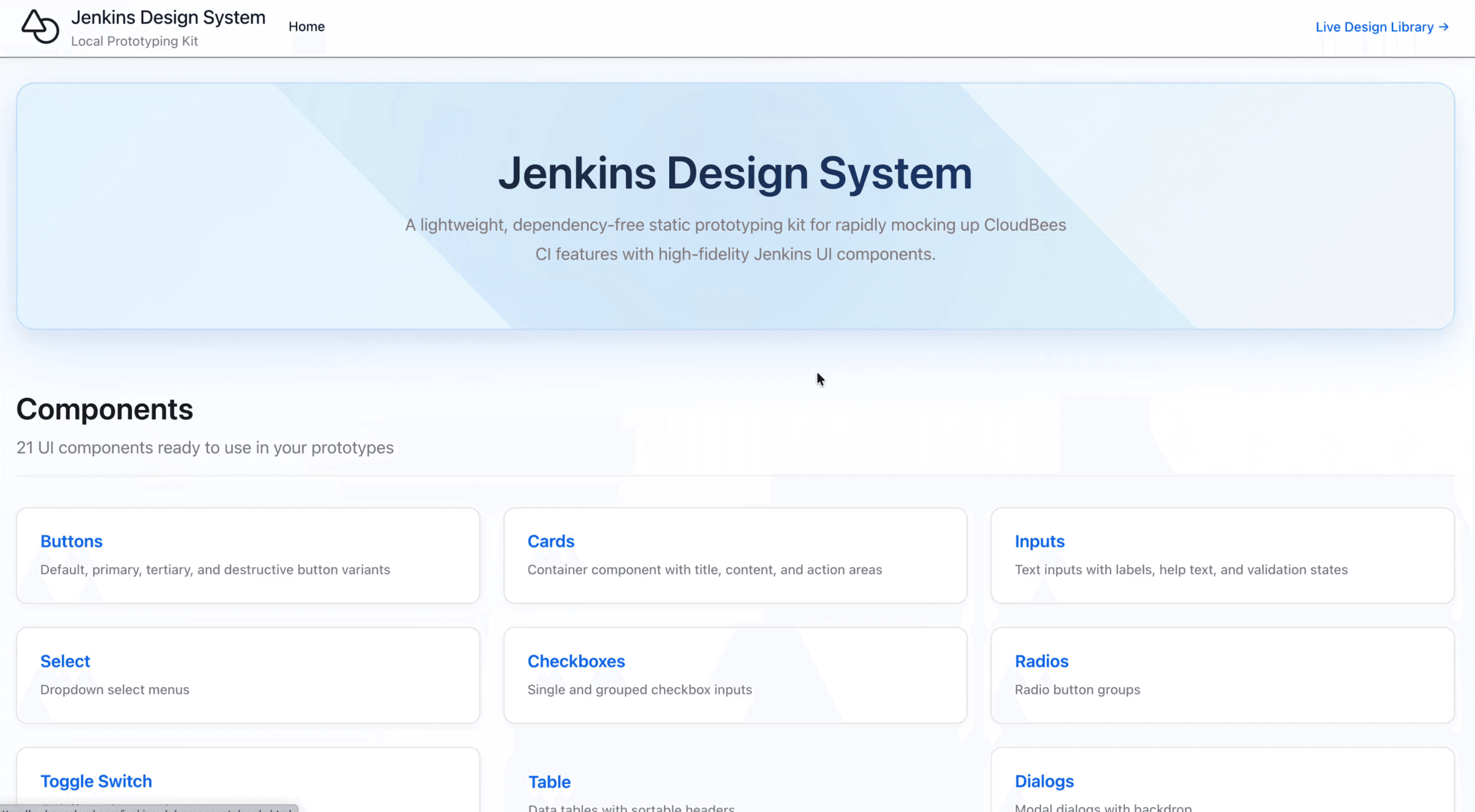
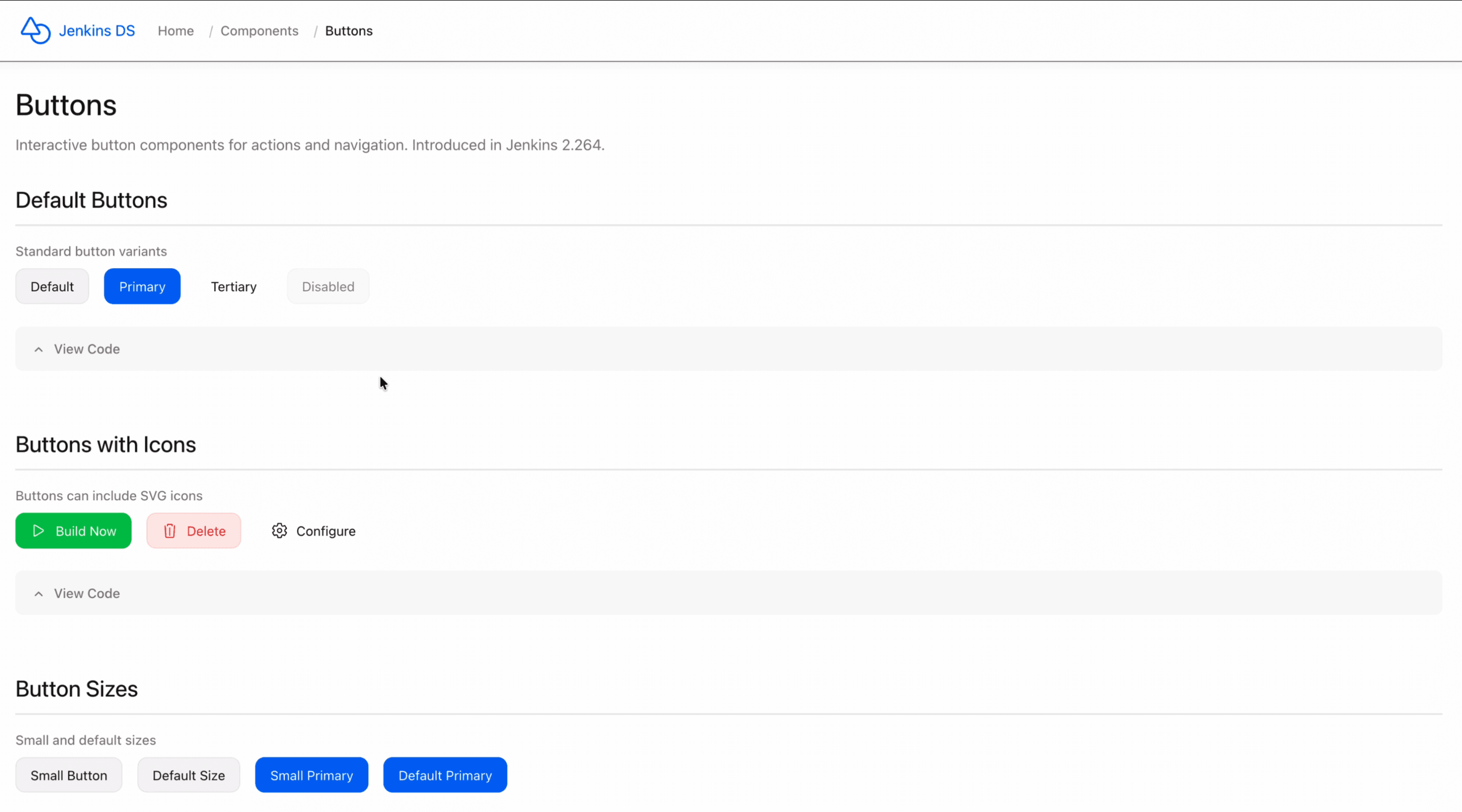
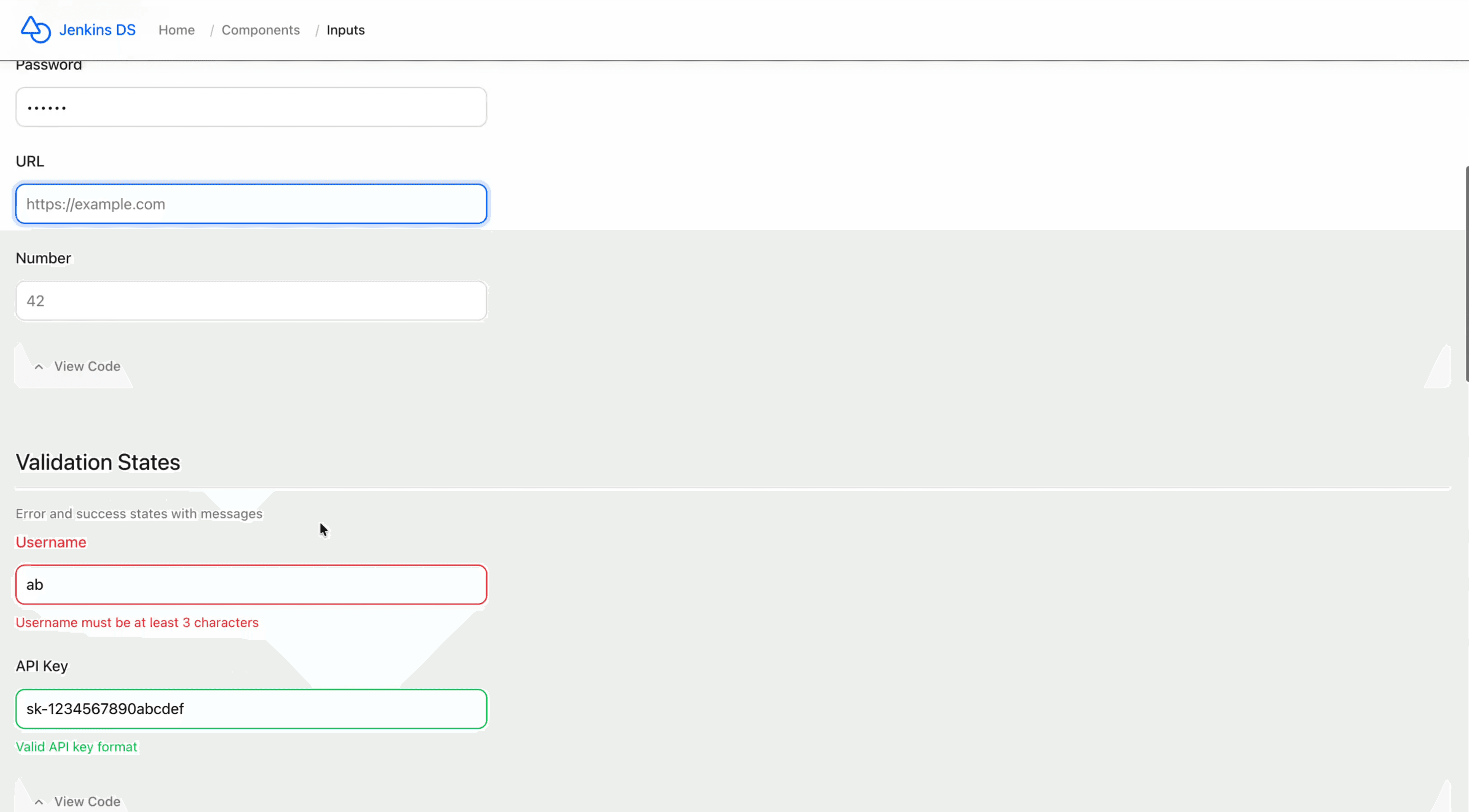
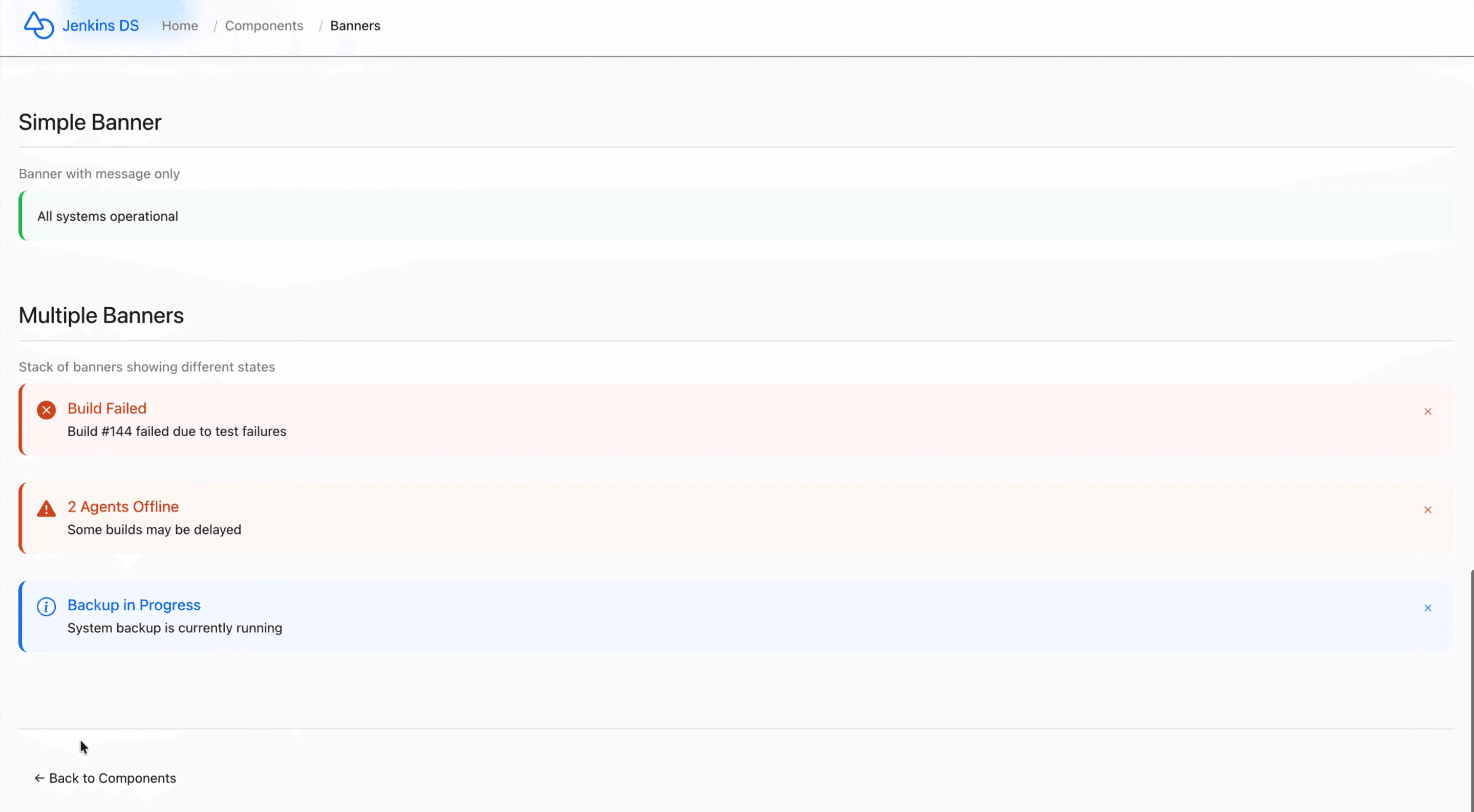
This project documents the Jenkins design system, the foundational layer that CloudBees CI is built on, as a structured internal reference page. It covers design tokens (colors, typography, spacing), UI components, and usage guidelines, all in one place and accessible to the design team through an internal workbench.
The goal was practical: give designers and AI tools a reliable, consistent foundation to prototype from, reducing guesswork and speeding up iteration cycles when working with Claude Code or similar tooling.
Timeline
Built in 2026 as a self-initiated project during my time at CloudBees. Completed and published to the internal workbench shortly before the layoff.
Background
CloudBees CI inherits most of its visual and component language from Jenkins, with a small number of custom components on top. Despite this, there was no single internal reference that consolidated the Jenkins design system in a structured, accessible way.
For designers prototyping with AI tools like Claude Code, this created a recurring problem: without a clear system reference to feed into prompts, outputs were inconsistent and required significant manual correction.
Problem
Designers prototyping with AI tools had no reliable Jenkins design system reference to work from, which meant:
AI-generated prototypes were visually inconsistent with the actual product
Time was lost correcting components, colors, and spacing by hand
Knowledge about the system lived in individual heads, not in a shared, accessible place
Research & Audit
I mapped the Jenkins design system end-to-end, identifying the full set of tokens in use (colors, typography, spacing) and cataloguing the UI components that appear across CloudBees CI, distinguishing Jenkins-native components from the custom ones added by CloudBees.
Structuring the documentation
I organised the content into three layers: tokens first, then components with usage guidelines, then edge cases and custom overrides. The goal was a structure that both humans and AI tools could navigate efficiently.
Building with Claude Code
I built the reference page using Claude Code, iterating until the documentation was clear, well-structured, and visually faithful to the actual Jenkins system. The page was then published to the design team's internal workbench, a shared environment accessible to all designers.
A single source of truth for the Jenkins system
Tokens, components, and usage guidelines all documented in one structured, accessible page, no more hunting through the product or relying on tribal knowledge.
Built for AI-assisted workflows
The reference was designed specifically with AI prototyping in mind. Feeding Claude Code a structured system reference dramatically improves output consistency, reducing the gap between AI-generated prototypes and the real product.
Published to the team workbench
The page lived in the design team's internal workbench, meaning any designer could use it as a foundation for their own AI-assisted work, not just a personal tool, but a team resource.
A resource that didn't exist before
There was no consolidated Jenkins design system reference at CloudBees. This project created one, built, structured, and published entirely on personal initiative.
Faster, more consistent AI prototyping
With a proper system reference to work from, AI-assisted prototyping becomes significantly more reliable. Less time correcting outputs, more time exploring ideas.
Scalable team infrastructure
By publishing to the shared workbench rather than keeping it local, this became infrastructure the whole design team could benefit from, a multiplier, not just a personal shortcut.
What I'd do next
With more time, the next step would be co-ordinating with the team to validate and expand the documentation, add interactive component previews, and keep it maintained as Jenkins and CloudBees CI evolve.